
Pencil-on-paper golf, since 2009
Make a hole.
Make it yours.
Draw your own little golf adventure in the app. Or take a quick break with today’s hole, right here in your browser.
The browser Daily is ready to play. No account needed.
A quick Daily. A little challenge.
No swing meter. Just trace a path.
Trace a path.
Start on the ball. Draw around the ink toward the cup.
Find your angle.
Lift to land. Move and zoom the paper to line up the next shot. Walls fade as you draw, so remember the way.
Pass it on.
Finish, see how your first score compares, and share the same hole with a friend. Come back tomorrow for another.
The hole creator · iPhone & iPad
A blank page.
Or a whole new use for your photos.
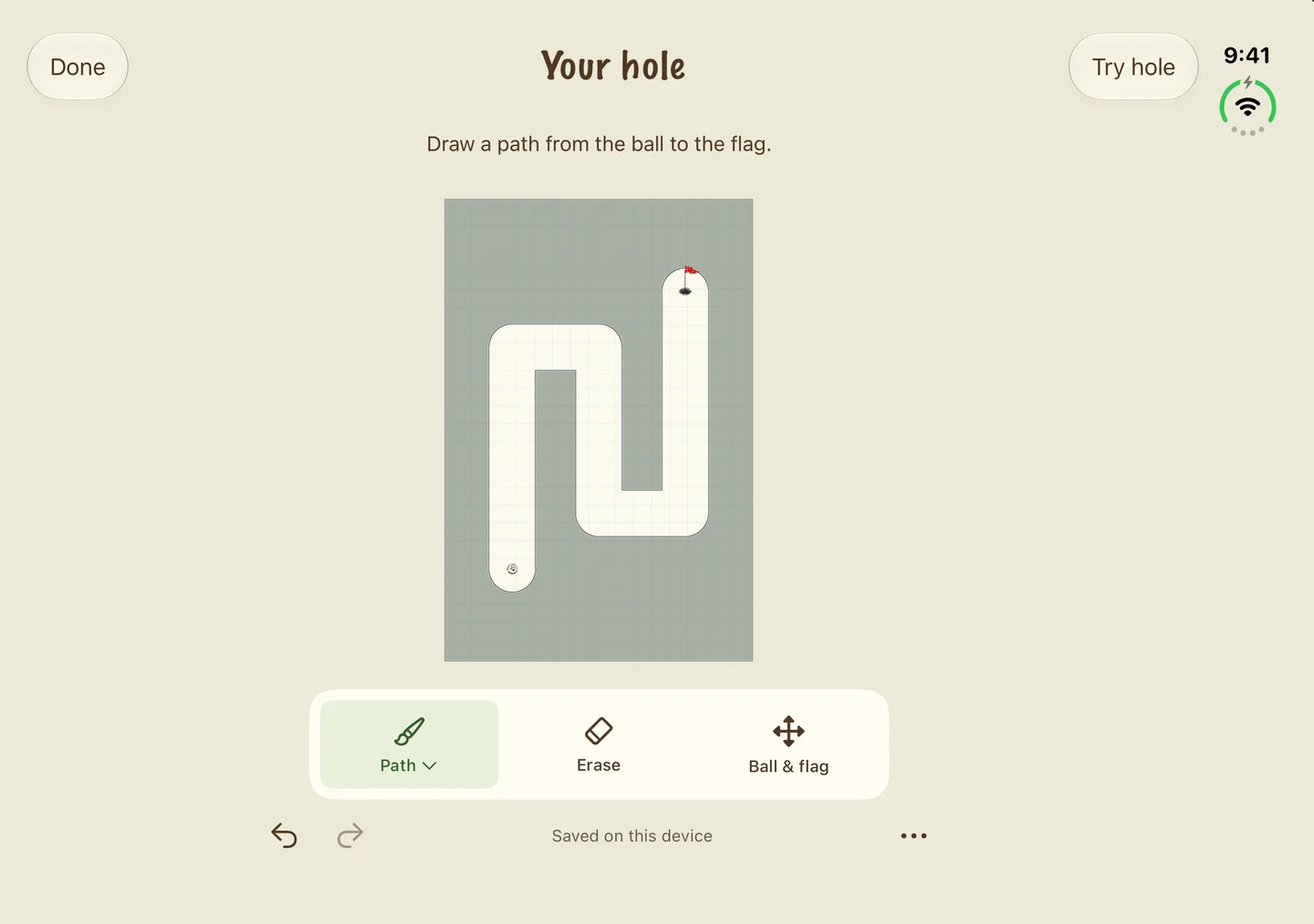
Draw a path from the ball to the flag. Give it a bend, erase a shortcut, and tap Try Hole to see how it plays. Use your finger or Apple Pencil on a compatible iPad.
Start on paper, bring in a photo, or scan an ink drawing. Move and zoom while you work. Your holes stay in My Holes, ready to edit and play again.
Made something fun? Choose Submit for Daily, review the preview, then send it for moderation. It could become a future Daily for everyone.
The refreshed iOS app is coming soon




Keep exploring
More room to doodle.
Head into hand-drawn courses, revisit a favorite in Practice, and find a ball that feels like you. Choose your difficulty and play at your own pace.

A few things to know.
Do I need an account?
No. Open today’s hole and play. Your results stay in this browser; they don’t sync to the iOS app.
How do shared scores work?
Your first completed round counts toward the day’s shared scores. Replays can improve your personal best. You can share your first score and a link so a friend can play the same hole.
Can I make my own holes in the browser?
The browser is for playing the Daily. The refreshed iPhone and iPad app includes the hole creator, photos and scanning, courses, and Practice. A finger is all you need; Apple Pencil is optional on compatible iPads.
Will my creations be shared automatically?
No. Saving or playtesting keeps the hole on your device. Submit for Daily opens a preview; only Submit for review uploads it. Submissions are reviewed before appearing. See what gets shared.
Where did Doodle Golf begin?
Doodle Golf first arrived on the iPhone in 2009. We’re bringing back its pencil-on-paper charm, with new artwork, courses, and a Daily to share.